Baseball & Softball
Press record after the hit. Your video will still have the pitch and the swing.
See Sideline Save for baseball and softball Sideline Save
Youth sports video for parents
When a play becomes worth saving, press record. Your video will still have the beginning of the play—without recording the whole game.
Baseball, Basketball, Soccer, Football, and Custom remember their own setup.
Saved videos go to Photos and are organized into matching sport albums when possible.
Videos stay on your iPhone and in your Photos library until you choose to share them.
Why it exists
It is easy to spend a whole game recording every pitch, shot, serve, or drive just in case something happens. Later, the real highlights are buried inside a camera roll full of misses and almosts.
Sideline Save flips that routine around. Keep the camera pointed at the action and watch the game. When a play becomes worth keeping, press record then—your video can still include the beginning of the play. You save fewer videos, keep more of the context that matters, and spend less time cleaning up afterward.
Made for your game
The same record button solves a different “just in case” problem on every sideline.
Press record after the hit. Your video will still have the pitch and the swing.
See Sideline Save for baseball and softballPress record when the play heads toward goal. Your video will still have the pass that started it.
See Sideline Save for soccerPress record after the play gets good, stop when it is over, and open Saved Videos later to find the highlight fast.
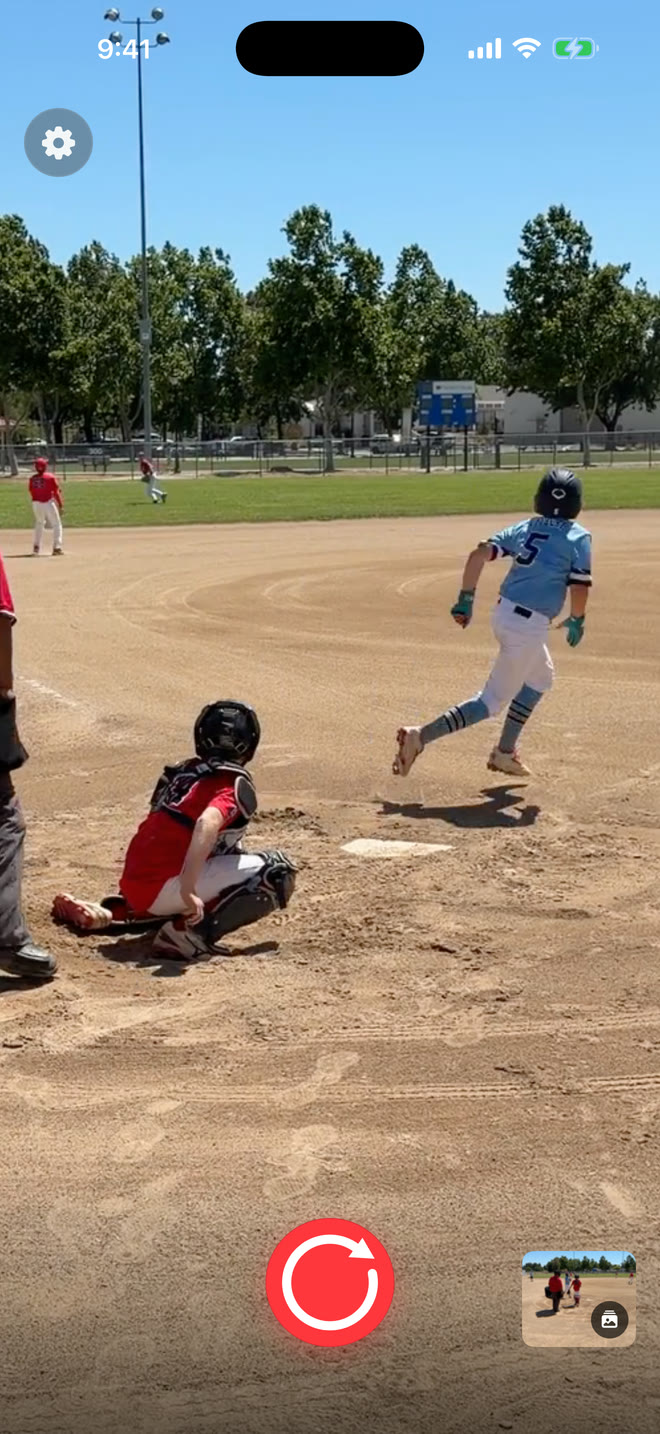
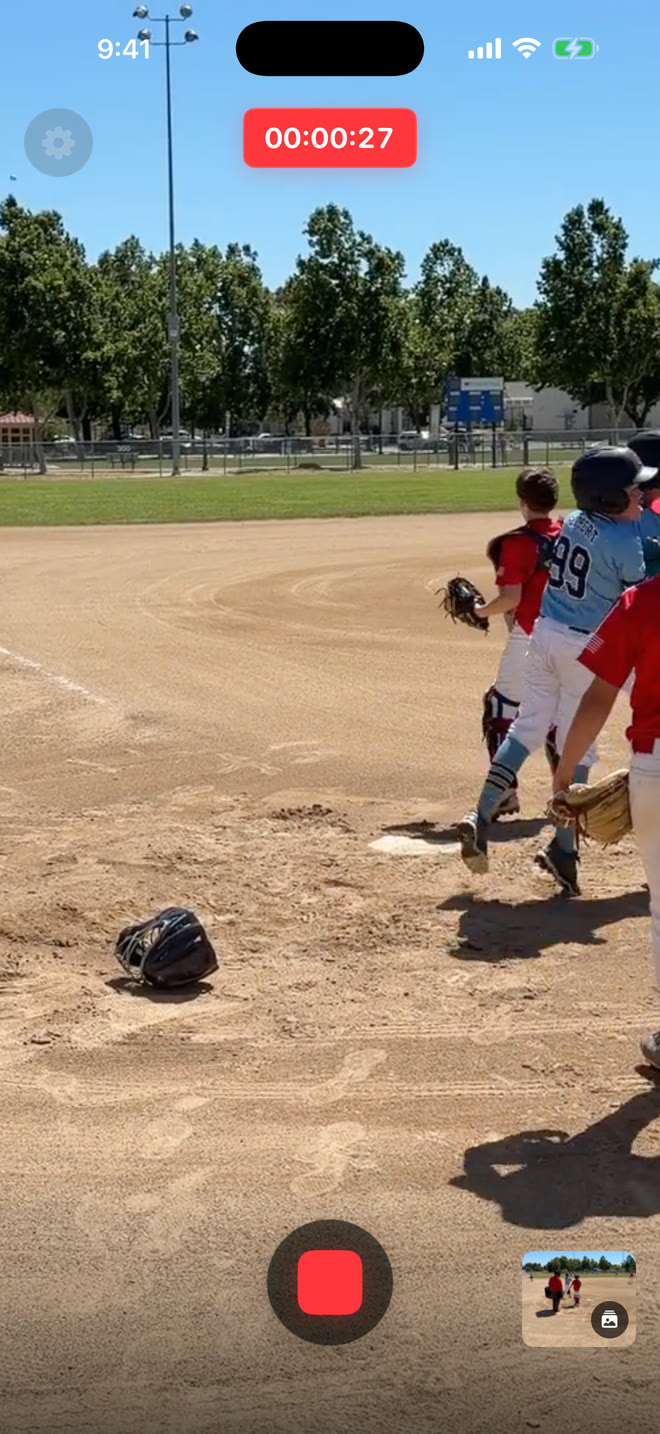
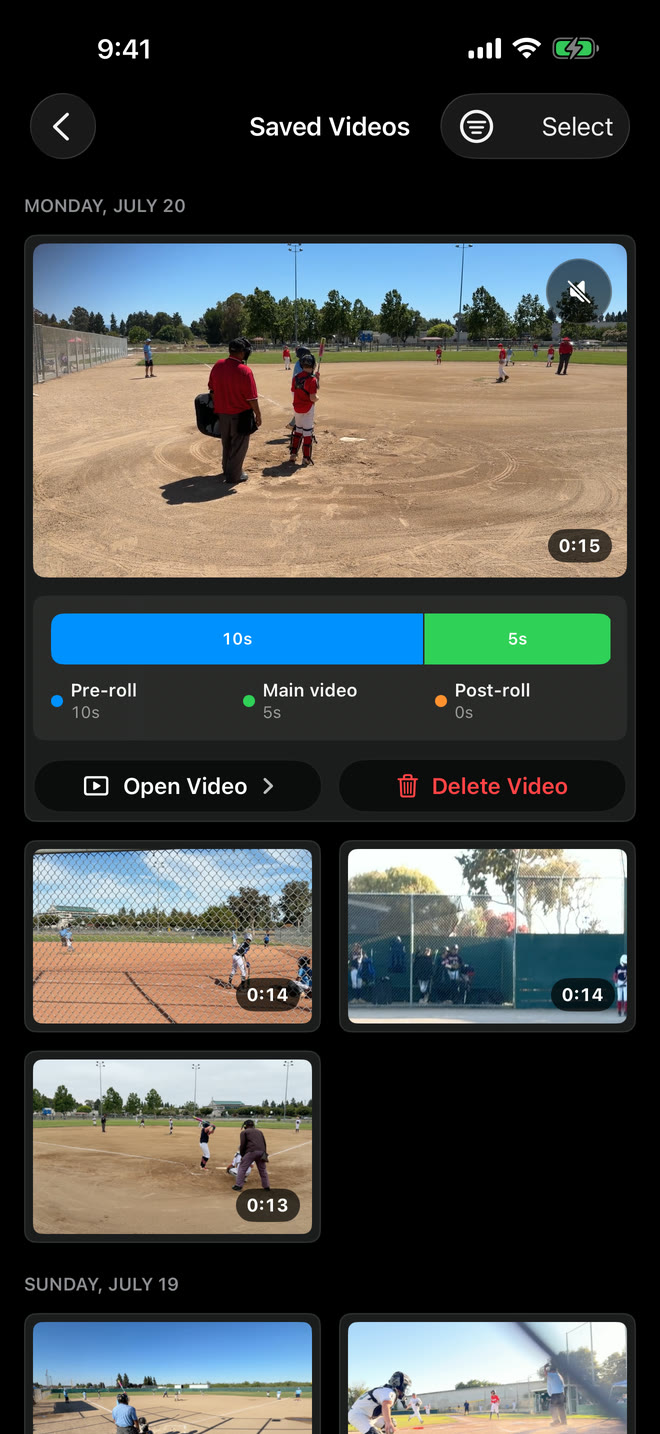
Fast controls, flexible capture choices, and a library built around the way families find and share highlights.
Camera-style zoom controls, pinch-to-zoom, supported video stabilization, and quality and frame-rate options help you frame each sport.
Each sport remembers its own capture settings. Saved videos can be reassigned later and moved to the matching sport album.
Open Saved Videos from the home screen to filter, play, favorite, share, delete, or change the sport for a highlight.
Short highlight clips take up far less space than long recordings of the whole game.
Video and audio remain on your iPhone and in your Photos library. Sideline Save has no accounts, ads, or cross-app tracking, and collects only limited app and website usage information to improve the product.
Independent and personal
Sideline Save is developed for iPhone with a simple goal: make it easier for families to catch the moments they will want to replay. Questions, ideas, and honest feedback are welcome.
Visit Sideline Save Support